How it works
How Client Finch finds and checks website issues
Client Finch currently researches UK companies, and SEO specialists, web designers, freelancers, consultants and agencies anywhere in the world can use the findings to identify potential clients. We match UK companies to their websites and run up to 1,000 automatic website checks a day. You browse the results, check the pages that matter and save potential clients with a clear reason to revisit them.
- Companies HouseEligible company records
- Website matchingIdentity and location checks
- Automated analysisSelected public pages and links
- FindingsTechnical detail you can review
Research you can assess
What happens before a result reaches you.
- 01
Companies House
Companies House supplies eligible company records.
- 02
Website matching
Strict identity and location checks match websites to those records.
- 03
Automated analysis
Checks selected public pages and links.
- 04
Findings
Publishes findings with enough technical detail to review.
Two checked pages share the same title
- Affected URL
- https://northbridge-dental.example/
- Recorded evidence
- GET / → 200 GET /treatments → 200 Both documents: <title>Northbridge Dental | Manchester Dentist</title>
Possible service: Technical and on-page SEO review
The same checked pages can identify platforms such as WordPress or Shopify. Website technology detection records recognisable signatures, not guesses from a site’s appearance. See the Client Finch methodology for sources, matching rules, coverage and Revenue Path confirmation criteria.
How it works
Four steps to a shortlist you can explain.
- 01
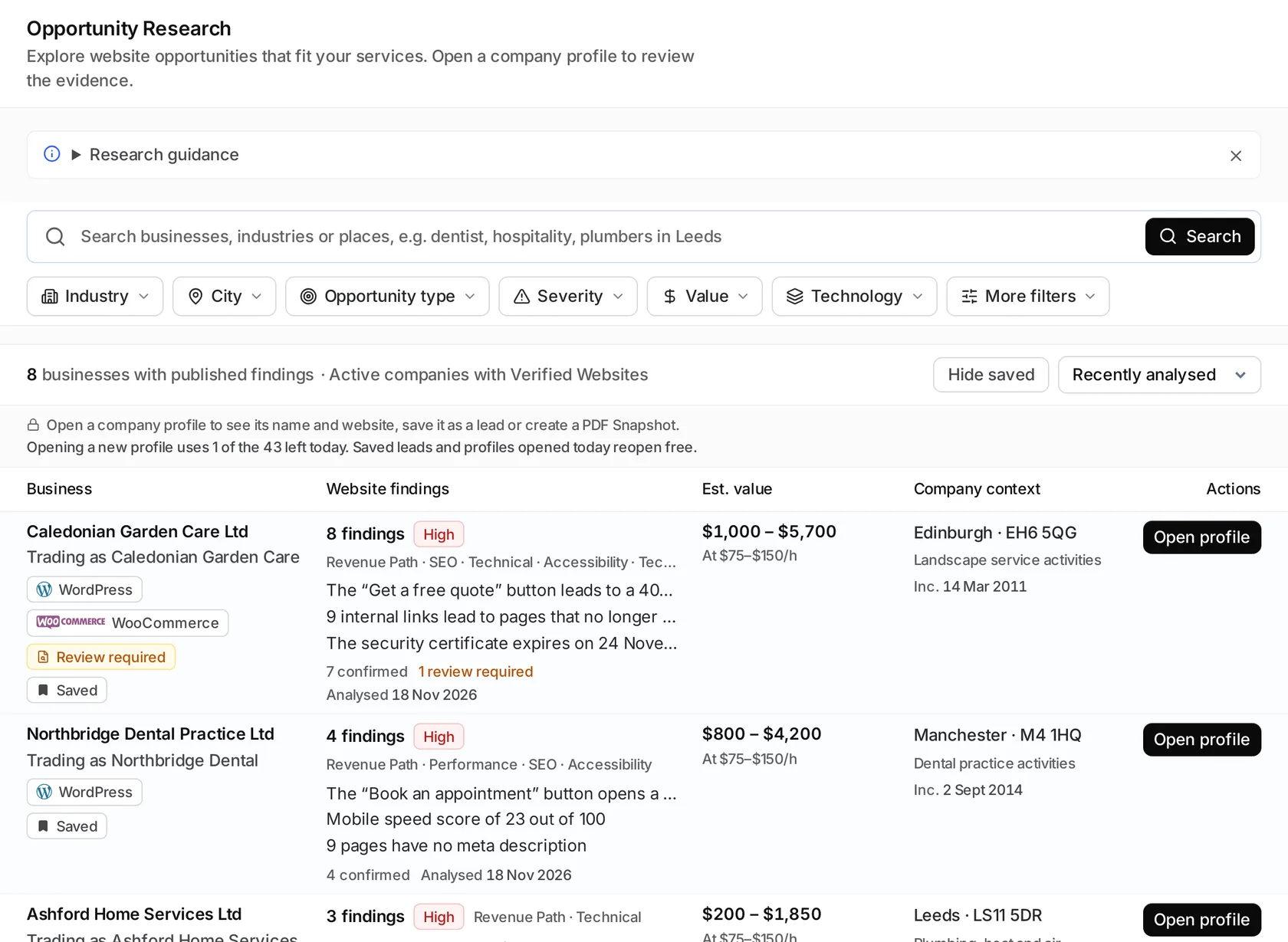
Pick the issue you work on
Filter by issue category, severity or detected technology. Add a company name or registered-office area to narrow the results.
Opportunity research
- 02
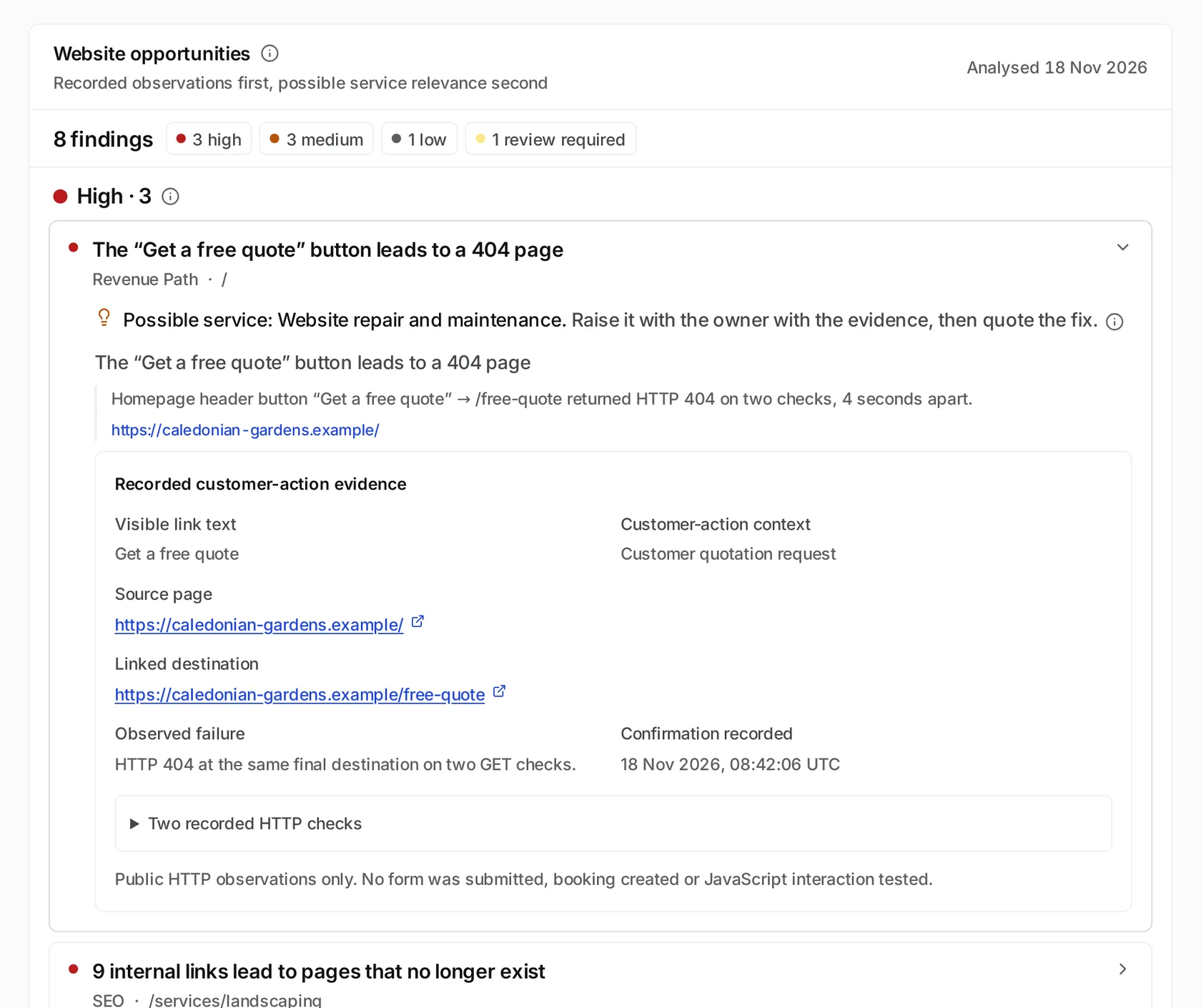
Check the page and the business
Read findings, affected URLs and analysis dates. Check detected platforms and the matched company before deciding whether the work fits.
Company details
- 03
Keep the promising prospects
Save the company with a private note about the repair or question. Pick up saved leads in Overview or Saved Leads.
- 04
Prepare a specific approach
Use your notes to plan a relevant conversation. Pro and Agency export your shortlist to CSV or Excel; outreach stays with you.
Download available published findings as a PDF Snapshot. Pro makes it white-label, without Client Finch branding; Agency adds your own business name and optional logo.
Going further? Read how to identify website improvement opportunities, how to find newly incorporated UK companies or browse solutions by audience.
View opportunity examplesFAQ
Common questions.
Can I request a scan of any website?
Yes. The Website Scanner includes 1 website per day on Free, 50 on Pro and 200 on Agency. Automatic checks run through the shared daily process; opening a company profile or using technology filters shows existing results rather than starting a scan.
What if the analysis finds no issues?
No published opportunity is a valid outcome for the selected checks, not proof that the whole website is problem-free.
Does saving a lead start outreach?
No. It adds the company to your private shortlist. You decide whether to approach the business yourself; Client Finch sends no prospect messages.
Do I need a paid plan to try it?
No. Free includes search, saved leads, notes and three opportunities a day. Pro is $59 a month for 50 opportunities a day (up to 1,500 a month), Preferences, For You, Email Digest and CSV or Excel exports. Agency is $159 a month for 200 a day (up to 6,000 a month).
Find a prospect with a problem you can explain.
Open three opportunities a day for free. Read the website findings, save the businesses that fit and keep your notes alongside them.
Your Client Finch workspace